
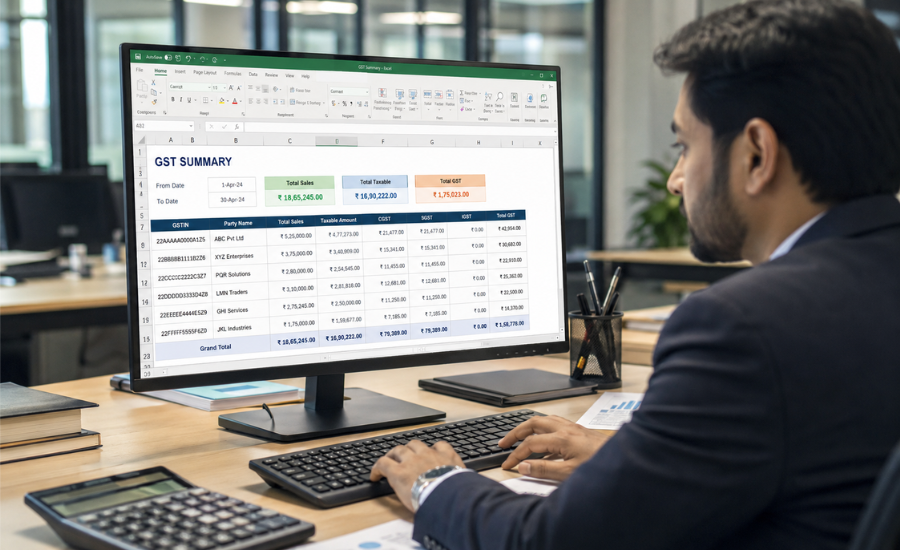
How To Make GST Summary In Excel | Easy GST Reporting
Learn how to make GST Summary in Excel with accurate calculations, and easy GST data management for better business decisions.
A professionally designed GST summary workbook improves productivity, ensures compliance, and provides valuable insights into tax collections and business performance. It also enables accountants and finance teams to make informed decisions using real-time GST data analysis.
- Simplified GST Reporting
- Accurate Tax Calculations
- Better Financial Analysis
- Time-Saving Workflow
- Easy Data Management
- Customizable Business Reports
Introduction
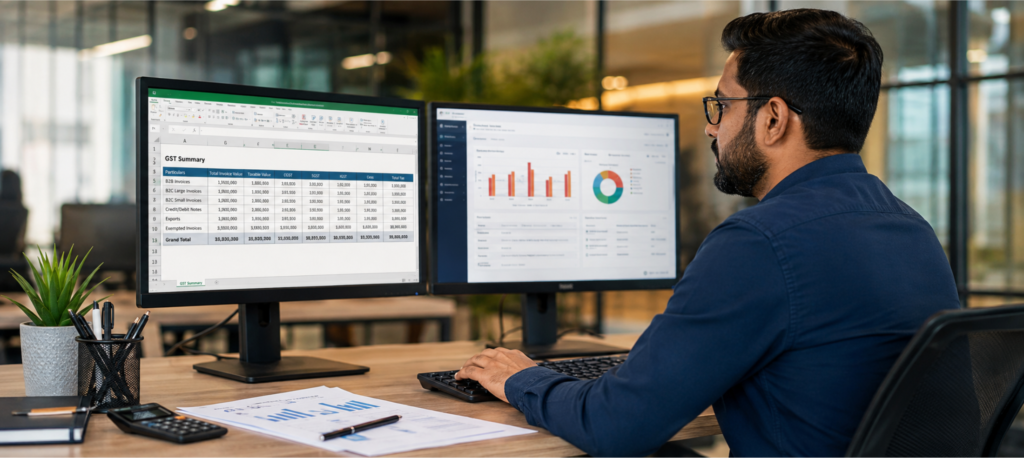
Creating a GST summary in Excel is one of the most efficient ways to organize GST transactions, monitor tax liabilities, and simplify monthly or annual tax reporting. Businesses of every size—from startups and traders to manufacturers and service providers—can use Excel to maintain structured GST records without relying entirely on complex accounting software. A properly designed GST summary spreadsheet helps consolidate sales invoices, purchase invoices, input tax credit (ITC), output GST, tax payable, and reconciliation data into a single dashboard.
With customized Excel templates, businesses can automate calculations, reduce manual errors, generate monthly GST summaries, and prepare data for GST return filing. Features such as formulas, pivot tables, filters, conditional formatting, and dashboards make Excel a practical solution for financial reporting. Whether you are preparing GSTR-1, GSTR-3B, purchase summaries, sales summaries, or GST reconciliation reports, Excel provides flexibility and accuracy.
Why This Service is Important
A structured GST summary in Excel offers businesses better financial visibility while simplifying GST management.
Benefits
- Maintain organized GST sales and purchase records.
- Calculate CGST, SGST, IGST, and cess automatically.
- Track Input Tax Credit (ITC) accurately.
- Prepare monthly GST reports faster.
- Reduce manual calculation errors.
- Improve GST reconciliation efficiency.
- Simplify tax audits and compliance.
- Generate management reports instantly.
- Support better financial planning.
- Save time through spreadsheet automation.
Types of Solutions To Make GST Summary In Excel
Monthly GST Summary Excel Sheet
- Monthly sales and purchase summary
- GST payable calculation
- ITC tracking
- Tax liability reports
Sales GST Summary
- Invoice-wise sales reports
- GST collected analysis
- Customer-wise summaries
- Monthly turnover reports
Purchase GST Summary
- Vendor purchase tracking
- Input GST calculations
- Purchase tax analysis
- Vendor reconciliation
GST Dashboard
- Interactive KPI dashboard
- Tax trend analysis
- Monthly comparisons
- Visual business insights
GST Reconciliation Report
- Invoice matching
- ITC verification
- Purchase vs sales comparison
- Compliance monitoring
Automated GST Excel Template
- Formula-driven calculations
- Auto-generated summaries
- Dynamic reporting
- Error validation
Key Features To Make GST Summary In Excel
- Automated GST calculations
- Dynamic Excel formulas
- Pivot table reporting
- Interactive dashboards
- Sales and purchase summaries
- GST return-ready reports
- Input Tax Credit tracking
- HSN/SAC reporting support
- Monthly and yearly summaries
- Conditional formatting
- Data validation
- Invoice reconciliation
- Tax liability calculation
- Export-ready reports
- Easy customization
- Secure spreadsheet structure
- Business performance analytics
- Fast report generation
Development Process
Requirement Analysis
Understand your GST reporting workflow, invoice structure, tax rates, and business requirements.
Data Collection
Collect sales invoices, purchase invoices, GST details, vendor information, and customer records.
Excel Structure Design
Design worksheets for sales, purchases, GST calculations, reconciliation, dashboards, and summaries.
Formula Implementation
Develop automated formulas for GST calculation, ITC computation, tax summaries, and financial analysis.
Dashboard Creation
Build professional dashboards using Pivot Tables, Pivot Charts, slicers, and Excel reporting tools.
Validation & Testing
Verify calculations, reconcile invoices, test formulas, and eliminate reporting errors.
Deployment
Deliver the final Excel workbook with user guidance and documentation.
Support & Updates
Provide ongoing improvements, modifications, and template enhancements whenever business requirements change.
Technology Stack To Make GST Summary In Excel
Spreadsheet Tools
- Microsoft Excel
- Excel 365
- Google Sheets
Excel Functions
- SUMIFS
- IF
- VLOOKUP
- XLOOKUP
- INDEX MATCH
- FILTER
- UNIQUE
- TEXT Functions
Reporting
- Pivot Tables
- Pivot Charts
- Dashboards
- Slicers
- Conditional Formatting
Automation
- Excel Macros
- VBA Automation
- Power Query
- Power Pivot
Data Management
- CSV Import
- GST Data Import
- Invoice Management
- Data Validation
Cost Factors
The overall cost of developing a GST summary in Excel depends on multiple factors.
Customization Level
Simple templates cost less than fully automated dashboards.
Number of Reports
Additional reports increase development effort.
Automation Requirements
Macro-enabled workbooks require more development time.
Dashboard Complexity
Interactive dashboards involve advanced Excel features.
Data Volume
Large datasets require optimized formulas and reporting.
Integration Needs
Importing data from ERP or accounting software increases project complexity.
Maintenance
Ongoing support and future updates may be included in maintenance plans.
Latest Trends
Businesses are increasingly adopting modern Excel solutions for GST reporting.
Current Trends
- Automated GST dashboards
- Power Query integration
- Power Pivot reporting
- Cloud-based spreadsheet collaboration
- AI-assisted Excel formulas
- Real-time business analytics
- Automated reconciliation
- Dynamic financial dashboards
- Interactive management reports
- Excel and ERP integration
Why Choose Us
We help businesses build customized GST summary Excel solutions that simplify tax reporting, improve accuracy, and save valuable time. Our Excel specialists create professional templates tailored to your accounting process, ensuring smooth GST management and better financial reporting.
Why Businesses Trust Us
- Customized Excel solutions
- Accurate GST calculations
- Professional dashboard development
- Fast project delivery
- Scalable reporting systems
- User-friendly spreadsheet design
- Advanced Excel automation
- High-quality documentation
- Reliable technical support
- Cost-effective solutions
Get a professionally designed GST Summary Excel template customized for your business.
Contact our experts today to automate your GST reporting process and improve financial efficiency.
Request a free consultation to create an accurate, scalable, and easy-to-use GST Excel reporting solution.
Add Your Heading Text Here
Add Your Heading Text Here
Add Your Heading Text Here
Add Your Heading Text Here
Add Your Heading Text Here
Add Your Heading Text Here
Add Your Heading Text Here
Add Your Heading Text Here
Create worksheets for sales, purchases, GST calculations, and summaries. Use Excel formulas and Pivot Tables to automate reporting.
Yes. Excel formulas can calculate CGST, SGST, IGST, GST totals, and tax liabilities automatically.
Yes. Monthly GST summaries can be generated using Pivot Tables, formulas, and dashboards.
Yes. Excel is widely used for invoice matching, ITC verification, and GST reconciliation.
Yes. Excel can import CSV files and integrate data using Power Query and other import tools.
Absolutely. Excel offers a cost-effective and flexible solution for GST tracking, reporting, and analysis.